
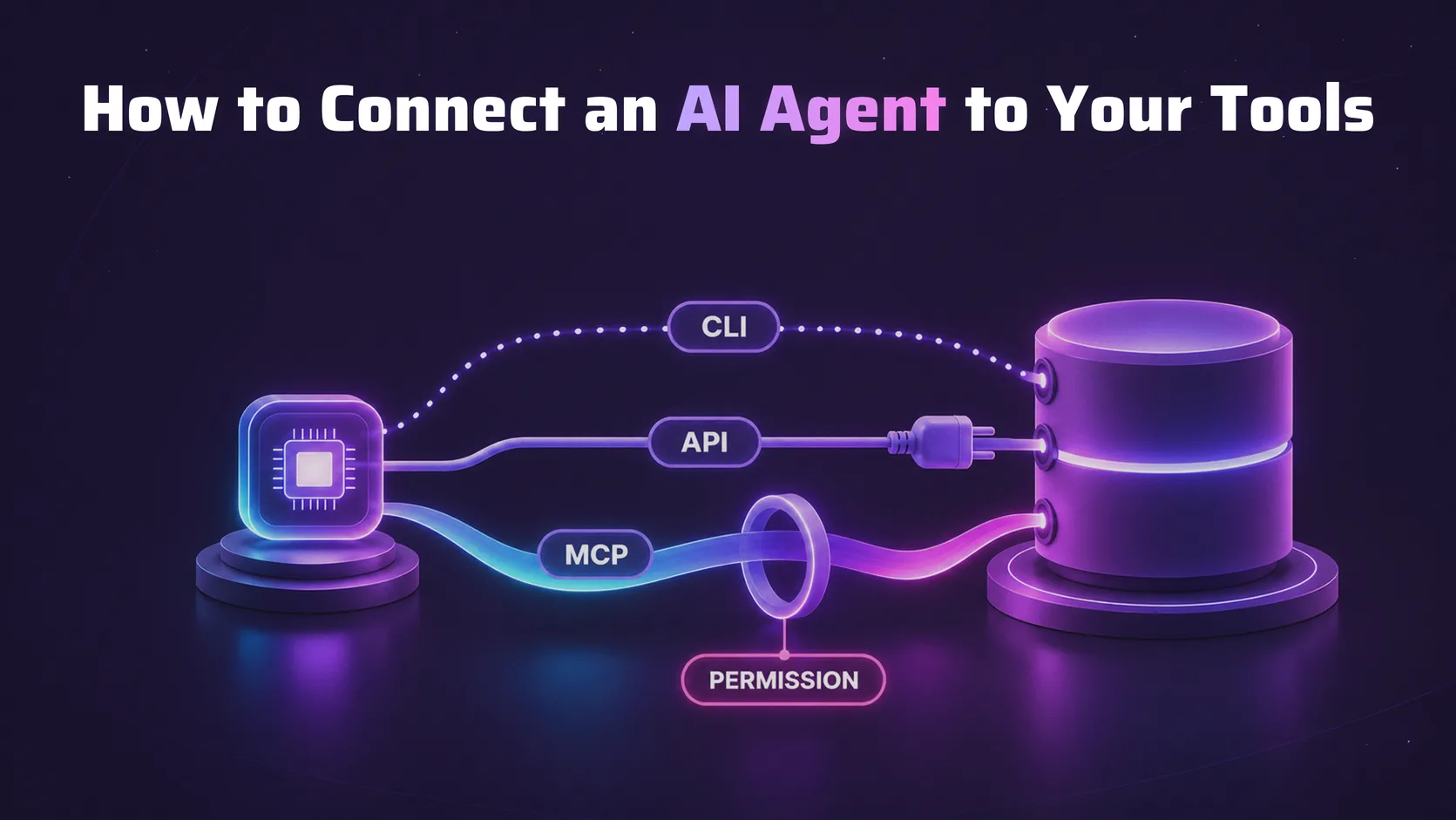
An AI agent is only as useful as the tools it can reach. Today there are three common ways to give it that reach: a command-line interface (CLI), a plain API, or the Model Context Protocol (MCP). They are less rivals than layers, and picking the wrong one costs you in setup time, in tokens, or in safety. If you are new to working with coding agents, our guide to What Is Vibe Coding? Pros, Cons, and What It Means for Software covers the background.
The Short Answer
Choose by who is in control and how long the connection has to last:
- Use a CLI when a good command-line tool already exists, you are working on your own machine, and a person can watch what runs.
- Use an API when you are building a product feature or a stable integration, where your own code decides exactly what is called and with what inputs.
- Use MCP when an AI assistant needs to discover a set of tools, call them with typed inputs, and work within limits that you set once, on the server.
What Each One Is
A CLI
GitHub describes its own tool, gh, as “a command-line interface to GitHub for use in your terminal or your scripts.” An agent uses a CLI the way a developer does: it types a command and reads the text that comes back. Some commands can print machine-readable JSON with a --json flag, and sign-in is usually a one-time login or a token in the environment: gh auth login, or the GITHUB_TOKEN variable.
An API
The OpenAPI Specification, the common way to describe web APIs, defines “a standard, programming language-agnostic interface description for HTTP APIs” that lets “both humans and computers” discover and understand what a service can do. With an API, your code, or code an agent writes, sends HTTP requests and handles the responses. Because it was not built for AI in particular, it is plain and predictable: the same request gets the same kind of response.
MCP
MCP, the Model Context Protocol, is “an open-source standard for connecting AI applications to external systems.” Anthropic announced it on November 25, 2024, as a way of “replacing fragmented integrations with a single protocol.”
An AI application, called the host, creates one MCP client for each MCP server, and a server is “a program that provides context to MCP clients.” A client finds out what a server offers by sending a tools/list request. Each tool comes with a name, an optional description, and an inputSchema written in JSON Schema. Servers run either locally over standard input and output (stdio) or remotely over Streamable HTTP.
Comparison at a Glance
| Criterion | CLI | API | MCP |
|---|---|---|---|
| Best fit | Local work with tools you already use | Products and stable integrations | AI assistants that use many tools |
| How the agent learns what is possible | Reads help text or documentation | Reads documentation or an OpenAPI description | Asks the server for its tool list |
| Inputs and outputs | Text, sometimes JSON | Whatever the service defines | Typed inputs described by JSON Schema |
| Sign-in | A logged-in session or a token in the environment | API keys or OAuth, set by the service | Optional; OAuth for HTTP servers, environment credentials for local ones |
| Who sets the limits | Your user account | The token’s scopes | The server’s tools, plus the permissions behind them |
| Where the cost shows up | Output text in the context | In your code, outside the model | Tool descriptions in the context window |
Where the Cost Hides
Every tool you expose has to be described to the model, and that description takes space. Anthropic’s engineering team put it plainly in November 2025: “Tool descriptions occupy more context window space, increasing response time and costs.” With thousands of tools connected, the same post says, an agent may have to process hundreds of thousands of tokens before it reads a request.
A second cost appears when results pass through the model: “Every intermediate result must pass through the model.” Anthropic’s suggested remedy is to “present MCP servers as code APIs rather than direct tool calls,” so the agent writes a small program that calls the tools and filters the data before anything reaches the model. In Anthropic’s own example, this cut one workflow from 150,000 tokens to 2,000. That is one workflow, not a promise for yours, and the same post warns that running agent-generated code needs a secure environment with sandboxing, resource limits, and monitoring.
The practical lesson is simple. Expose only the tools an agent needs, keep their descriptions short, and be careful with any tool that returns a large result.
Safety and Permissions
All three can do real damage if they are given too much power, so safety is mostly about limits:
- A CLI can do whatever the account running it can do. That is convenient and risky, so keep permission prompts on for anything that changes things.
- An API is limited by the token you give it. Use the narrowest scopes the job allows.
- MCP adds a layer in between. The specification says there should always be “a human in the loop with the ability to deny tool invocations.” It makes authorization optional, builds on OAuth 2.1 for servers over HTTP, and tells local servers that use stdio to take credentials from the environment. Its security guidance recommends a progressive, least-privilege scope model.
One more risk applies to all three: text written by outsiders. An email, a form submission, or a web page can contain instructions. Treat it as data, never as orders.
How We Use All Three
We use all three at Simulated Sphere, and the split follows the rule above.
- CLI: command-line tools such as the GitHub CLI handle pull requests and deploy checks, because a developer is watching and the tools already exist.
- API: our website and admin panel talk to our own backend API. That is the product, so the API is the stable contract everything else depends on.
- MCP: we built our own MCP server so an AI assistant can help with routine work in our admin panel, such as looking up and updating portfolio entries, events, and job posts. On the other side it calls the same backend API.
The part we care about most is what it cannot do. The assistant cannot delete anything, publish or schedule anything, create or change login accounts, refund a payment, erase a person’s data, or change the keys behind our AI settings. Those rules are enforced by the backend, not by the MCP server and not by the assistant’s good behavior, so a mistaken or tricked assistant still cannot cross them. Money, erasure, and access stay in the panel, where a person does them.
Access to the panel is split into tiers with separate read and write permissions, and none of them is granted by default. Messages, applications, and registrations are written by outsiders, so the assistant is told to treat them as data.
How to Choose
- Does a good CLI already exist, and is a person watching? Use the CLI.
- Are you shipping a feature, or building something that has to behave the same way every time? Use the API.
- Do you want an assistant to discover tools, call them with typed inputs, and stay inside limits you set once? Use MCP, and put the limits on the server.
- Connecting many tools, or returning large results? Watch the token cost: expose fewer tools, keep descriptions short, or consider the code-execution approach inside a sandbox.
These choices are not exclusive. A good setup is an API underneath, an MCP server on top for assistants, and a CLI for the developers working next to them.
Mistakes Worth Avoiding
- Handing over a full shell for convenience. Give an agent the narrowest access that works, and keep approval prompts for anything that changes things.
- Turning every endpoint into a tool. Long tool lists cost tokens. Choose the few that matter.
- Putting the limits in the prompt. A prompt asks an agent to behave. A rule on the server makes the wrong action impossible.
- Trusting text from outsiders. Treat emails, forms, and web pages as data.
- Storing secrets in prompts or tool descriptions. Keep credentials in the environment or in the authorization flow.
Frequently Asked Questions
No. MCP is a standard for connecting AI applications to external systems, and the tools behind it still need something to talk to. In our setup the MCP server calls our existing backend API, so the API is still where the rules live.
Yes. An agent can run a CLI such as gh the way a developer would, and some commands print JSON with a --json flag. A CLI works well when a person is watching and the tool already exists. MCP gives you a discoverable list of tools with typed inputs, and limits that live on the server.
They are the two transports in MCP’s architecture. Stdio uses standard input and output for direct communication between local processes. Streamable HTTP uses HTTP for client-to-server messages and lets a server run remotely.
No. The specification says authorization is optional. When it is used with HTTP-based servers, it builds on OAuth 2.1. Local servers that use stdio should take credentials from the environment instead.
It can be, if you set the limits. Give the narrowest access that works, keep a person able to deny sensitive actions, as the MCP specification recommends, and enforce the hard rules on the server instead of in the prompt.
Sources
- What is the Model Context Protocol (MCP)?Model Context Protocol
- Architecture overviewModel Context Protocol
- Tools (specification version 2026-07-28)Model Context Protocol
- Authorization (specification version 2026-07-28)Model Context Protocol
- Security Best PracticesModel Context Protocol
- Introducing the Model Context ProtocolAnthropic
- Code execution with MCP: Building more efficient agentsAnthropic
- GitHub CLI manualGitHub
- GitHub CLI: formatting output with --jsonGitHub
- OpenAPI Specification v3.2.1OpenAPI Initiative